How to use Pause Point on all Android Devices
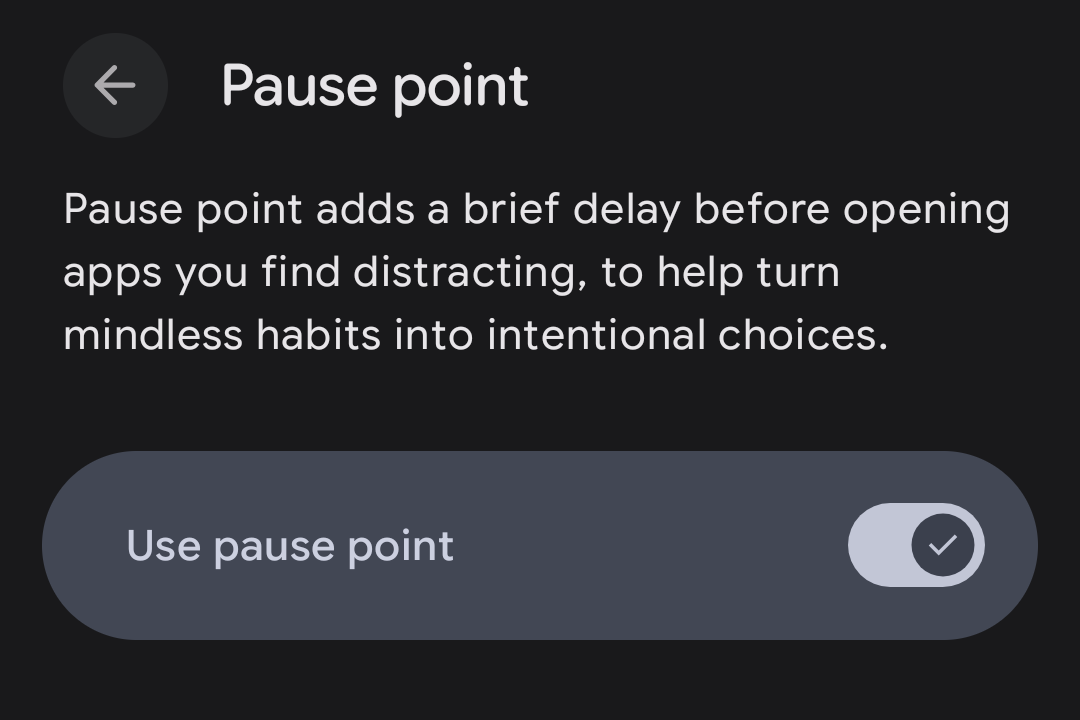
Google just announced a social media speed bump for Pixel 11 devices. It's called Pause Point, and the idea behind it is simple: before you can open distracting apps, your phone stops you for a moment and asks whether you really meant to open it.
What Pause Point actually does
Pause Point is a new feature inside Google's Digital Wellbeing tools and available exclusively on the new Pixel 11 and Pixel 11 Pro devices. You pick the apps that you’d like to use less: Instagram, TikTok, Tinder whatever your personal rabbit hole is.
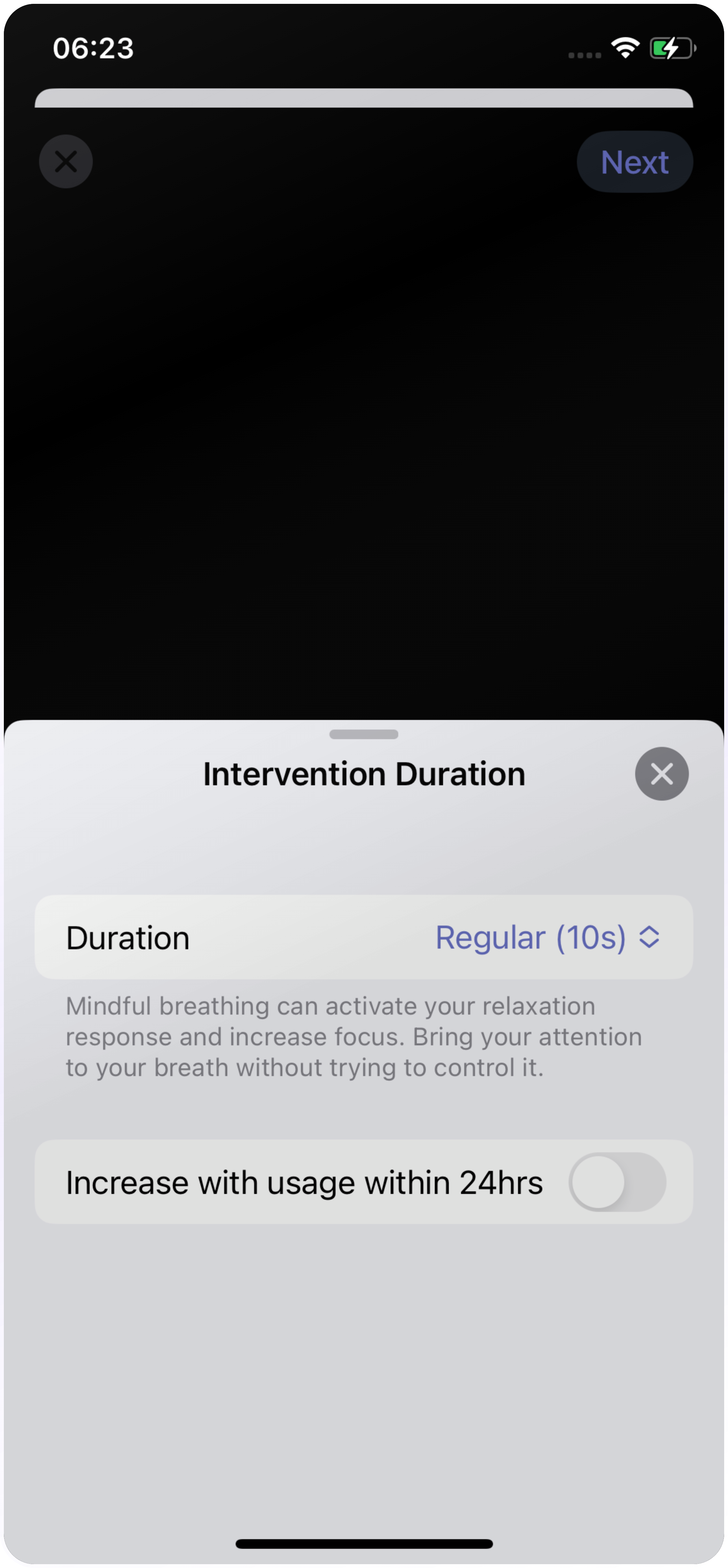
The next time you attempt to open one of these apps, Android holds the door shut for about 10 seconds. In that little gap you can take a breath, look at a favorite photo, start a quick timer, or simply change your mind and back out.
It's only a bit of friction … but that pause is often exactly what's needed to break the automatic tap-scroll-tap loop your thumb has memorized. And switching it off isn't a casual swipe. You have to restart your phone to disable it, so you can't impulsively yank the guardrail out of your own way.
Bad news if you don’t have the new Pixel 11
Here's where non-Pixel 11 owners get stuck: Pause Point only runs on Google's Pixel 11, on Android 17. Not on older Pixels, not on Samsung, and not on iPhones.
The good news is you don't have to go without it. An app that does exactly the same has been on the Google Play Store for years.
Meet one sec, your Pause Point for all Android Devices
one sec is built on the exact idea that makes Pause Point clever: a mindful moment between you and mindless scrolling. The difference is that one sec not only works on Pixel 11, but on all Android and iOS devices. It even offers desktop browser extensions.
Open an app you've marked as distracting, and one sec steps in before you can start scrolling. It asks you to a deep breath while it holds the screen. This little interruption was designed with psychologists: they're not just a countdown; they pull your brain out of autopilot.
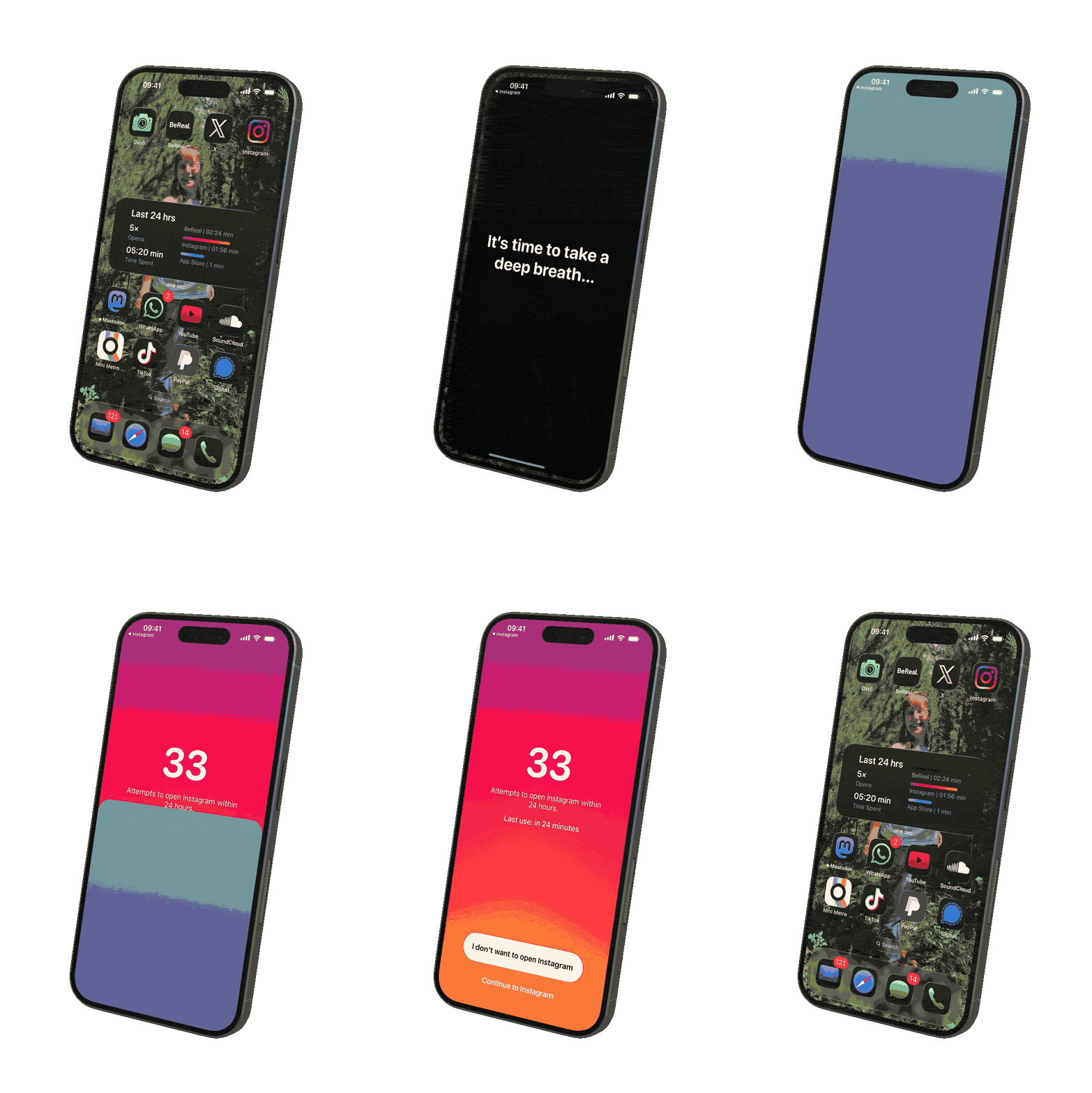
… and one sec can do so much more!
one sec's creator, Frederik Riedel, has built the app back in 2020, when he was trying to escape his unhealthy social media habits himself. Since then, he and his team have been working continuously on improving the app and adding helpful features.
Here’s an overview of one sec’s features:
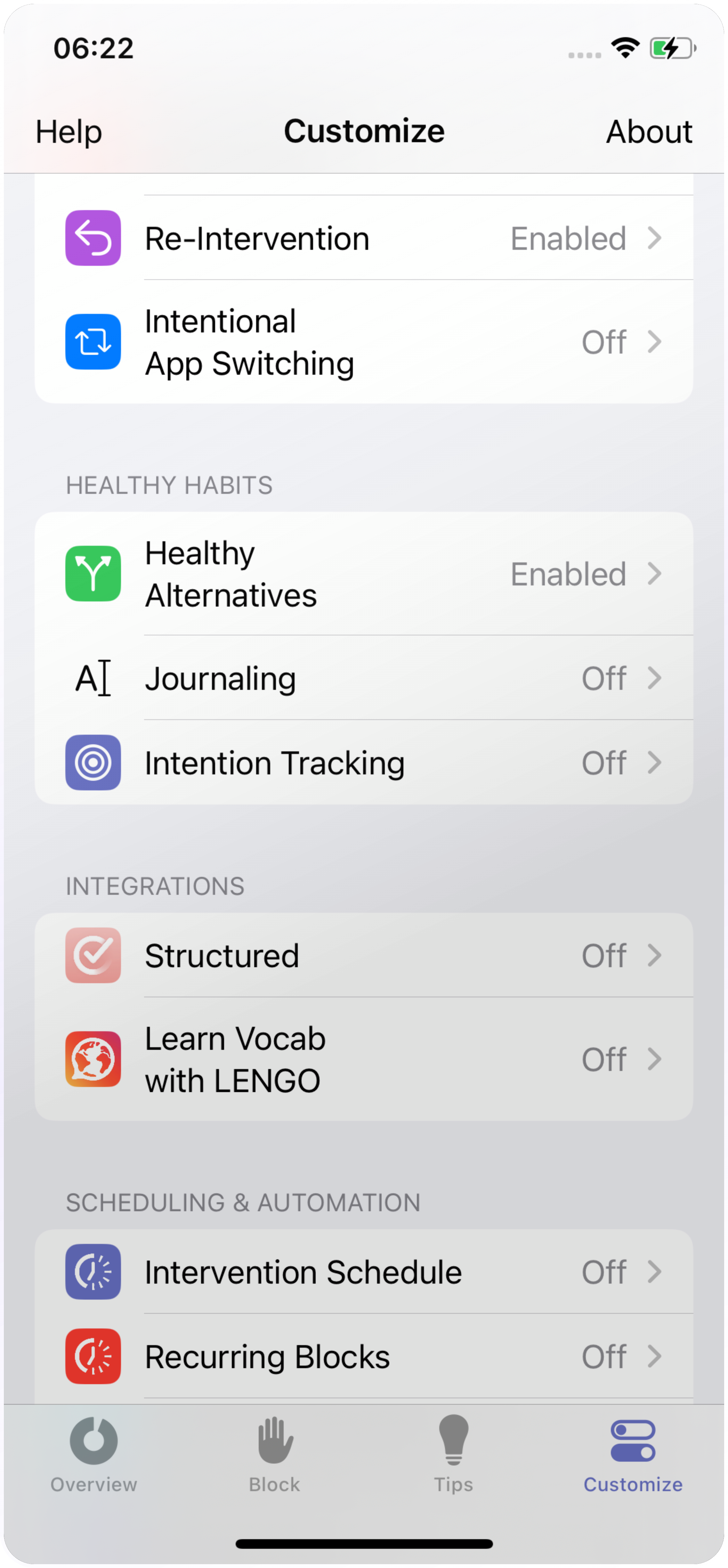
- Breathing exercise: forces you to take a deep breath every time you open social media or any other app
- Advanced breathwork exercises: more breathing practices to increase mental clarity and reduce stress or anxiety
- Physical or playful exercises: like “Rotate your Phone”, “Follow the Dot” or “Math Problem”
- Healthy Alternatives: suggests a custom alternative to scrolling — like pursuing a hobby, reading a book or calling a friend
- Emotion or Intention Tracker: explore how your app usage affects your mood or set an intention before opening an app
- Journaling: write down your thoughts and feelings
- Block Session: block selected apps (instantly or scheduled)
- Adult Content Detox: block adult content websites
- In-App Distraction Blocker: remove reels, shorts, stories from apps
… and that’s not even all of them.
The goal: equip users with the tools that work exactly for their individual needs.
Science-backed approach
one sec is the screen-time app with the largest scientific backing, as recently shown in an extensive report by Cambridge University.
A study in cooperation with researchers from German Max Planck Institute measured that one sec reduces app usage by 57 % on average.
Moreover, one sec has taken part in several research projects initiated by research institutes and federal institutions, such as the Danish Competition And Consumer Authority, the German Bundeszentrale für Kinder- und Jugendmeduenschutz, and the Association for Computing Machinery.
Bottom line
Pause Point is a great idea locked behind a very specific Google phone. If you're on any other Android device or an iPhone, you need one sec. Same mindful pause, same gentle friction, already sitting in the App Store, waiting to give you a second before your thumb decides for you.
And if you don’t believe us, you might believe Mrwhosetheboss who recently put one sec and Pause Point side-by side (at 10:22 min):
Compatibility
one sec is available for all major Android devices and works great on these devices:
- Samsung Galaxy models
- Google Pixel (yes, even older Pixel models!)
- Huawei
- Xiaomi
Elena Geiger
August 1, 2026