Willpower isn’t enough – Use Focus to Focus!
Every App on my Phone is Useful…
… just not all the time. Let me show you how I set up Focus Modes to let my phone know what I need — and what to hide until I do.
When I open my phone, there are 1000 things to do: I can cut movies, work, produce music, write an essay, communicate with people around the world, and orient myself anywhere. This little device that keeps constantly vibrating, pinging, and glowing in beautiful colors while I hold it in my palm can do nearly everything.
But too often it feels like holding a complete toolbox in my hand when I just need a hammer. For me, this overabundance is a guarantee for distraction and decision fatigue.
The problem isn’t me. Really. It was the setup of my phone. This became clear to me researching for this article. Writing this, I have adjusted my phone to my needs. I got help by our UX designer Donatus Wolf – he gave me advice on how to set the Focus Modes up with clear intention.

It is about how to set up your iPhone with Focus Modes and one sec’s Focus Filters. And with that, to gain back control over your phone and use it more efficiently.
This article is sharing Donatus’ wisdom. It will get a little bit tech-savvy …
…. but I promise, all ideas in here were easy to implement: since you already have iOS Focus Modes on your iPhone & one sec installed.
Willpower isn’t enough –
Just trying to push with willpower is often not enough to steer my smartphone use. I forget what I am doing while smiling into Face ID, I get overwhelmed by the hundred apps on my phone – or I follow a notification as if it were a white rabbit. In these moments of confusion, my thumb is itching to tap the tiny red Instagram logo.
There are apps and devices that mostly work by restricting these options on your phone – and presenting this as a solution for the overabundance and distractions. Basically making an accessible and powerful device less accessible and powerful. But the real problem with those kinds of restrictions is that they only work in special use cases: they aren’t adaptive enough.
I noticed that even with one sec: the intervention, blocking and other features that helped me in the beginning started to limit me. They slow me down. Imagine: I wait for a taxi and just want to intentionally check my work emails or Instagram for the next five minutes? My rigid block schedule won’t let me.
For dumbphones, which reduce the options on a phone to the maximal extent, it’s the same intention-killing experience. Why even own a smartphone?
Use Focus to Focus
Donatus presented me another idea: make your phone smarter instead.
“Let it follow and adjust to your intentions. Design your phone to fit all those contexts in it. Have different settings while being at work – and others alone at home in the evening. Let it adjust when learning for exams or being with family and friends, depending on your goals.”
With iOS 18, Apple published their Focus Modes, one of their most powerful tools for digital wellbeing. They offer numerous possibilities to adjust and fine-tune the behavior of your phone, like Focus Filters. These let apps behave differently depending on which Focus Mode is active on their device.
This is where Donatus saw a chance to help users achieve their goals as fast as possible … without dropping the benefits of intervening addictive apps. So he worked on implementing Focus Filters to one sec and here I report what he taught me:
Which Focus Modes one actually needs, how to set them up, and which settings and automations could help to adjust a phone more to one’s liking.
The Focus Modes you (actually) need
Phones are highly adjustable to different needs. For me, understanding my use cases and adding use-case-specific behavior fixed the problem of easily scattered intention: it helped me as a reminder of intent and as a (more or less) gentle nudge.
When start building the infrastructure for my workflows, it’s important to get an overview and understanding of the most common contexts I (and other people) use phones in. Donatus recommended to set up a Focus for each of these contexts:
• Private (alone, personal time)
• Study
• Work (sometimes multiple jobs or roles)
• Family & Friends
• Travel (time commuting or on the move)
For me, this was an eye-opener: I never thought of all those contexts as different environments – but I started to understand that my phone usage changes depending on what I want to do and with whom.
Start to design your environment
After setting up Focus Modes according to the list, we started to think about what I could need in each focus, what I don’t need there – and about the most important flows for each Focus Mode.
Distinguish them visually
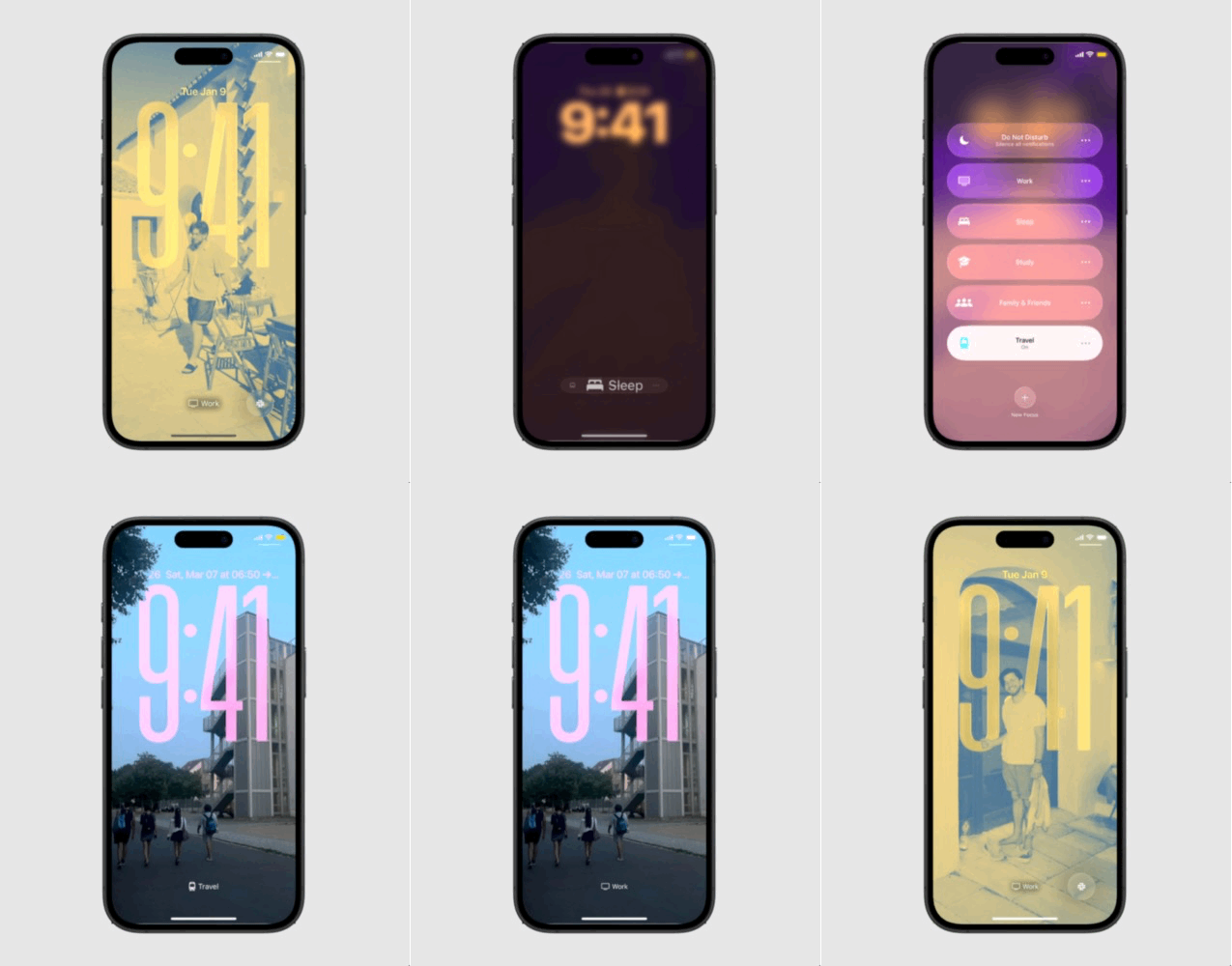
Each focus should be different in colors and symbols used. Focus Modes let me add a distinctive background, color, and home screen for each mode.
This works like a reminder every time the screen of my phone glows up. It helps me align with my intention – and lowers potential frustration: For example, when unlocking my phone in the wrong Focus Mode – and an app is not to be found where I expected it to be.
Lockscreen
For myself, I set up the lock screen with
pictures related to the Focus and used a tint in the respective Focus color. [Here is the respective Apple tutorial]
For example, the Focus “Work” is showing pictures of our one sec workation on Menorca last September, where I got to meet most people of our team offline.
Also, I added different widgets for the different lock screens – like Slack for work and the national railway app for traveling and commuting.
Homescreen
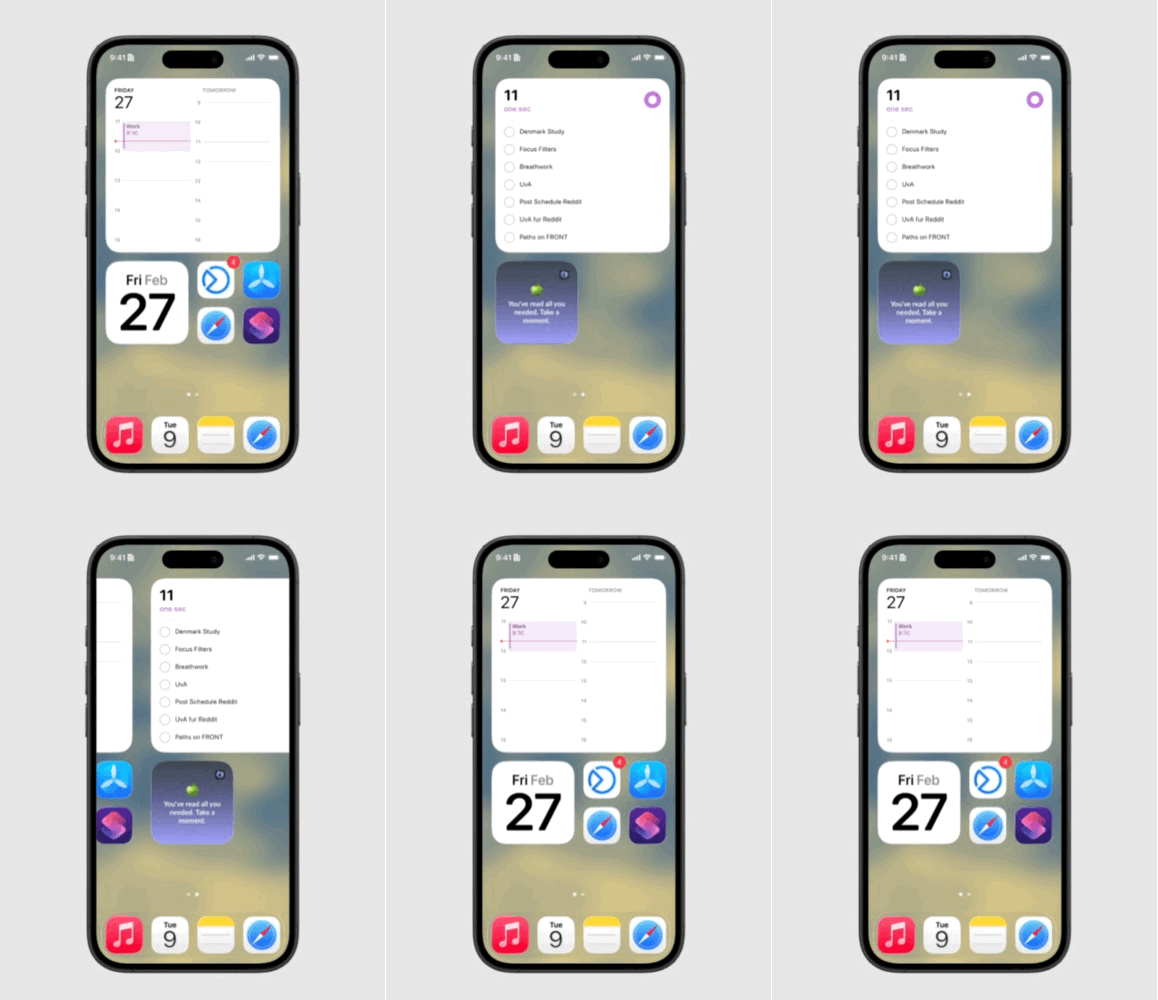
For the home screen, I had a hard time deciding which apps to add and which to ban until I followed Donatus’ advice:
Reduce the input.
So I decided to go with 2 pages for the home screen per focus. There I put the apps and widgets I actually need to use most.
Also, I tried to think about which apps are most distracting for me.
Accordingly, for my work focus, my messengers needed to stay in the library, while my travel focus gives me quick access to all travel-related apps like Google Maps and others.
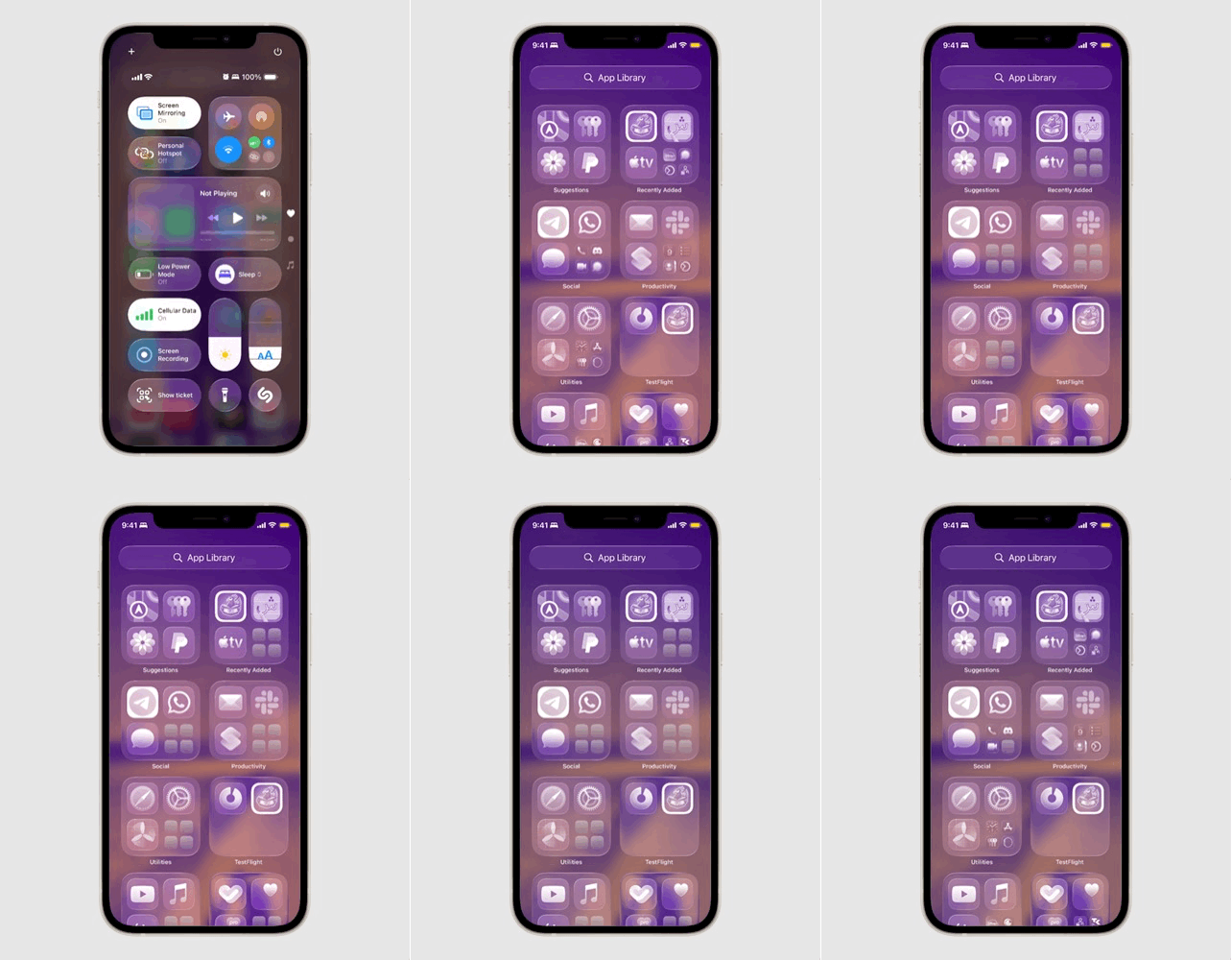
Tint or Black and White Mode for Sleep Focus
Ideal to calm down before bed, Donatus’ screen turns black and white.
You can also decide to tint your home screen in a color matching your Focus, making them less attractive or eye-catching.
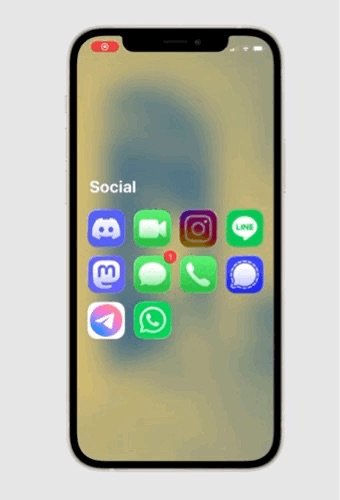
Don’t show Top 4 Apps
You can “hide” your apps from being shown to you in your Top 4 apps in the categories in your library.
(iOS settings > apps > click the app > switch off “search” > go back to iOS settings > Siri > apps > target app > switch that off, too)
Reduce Noise and Distractions (With one sec)
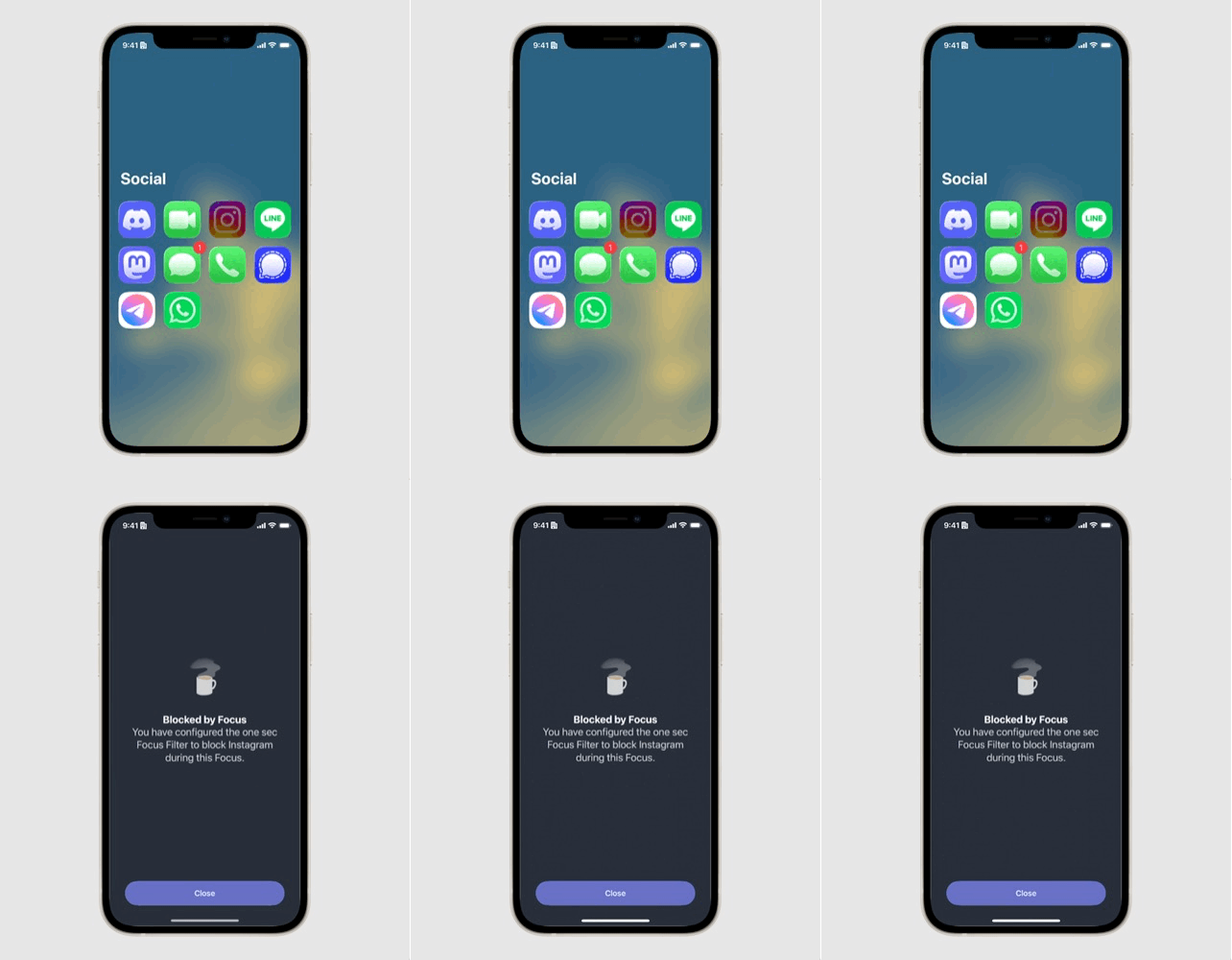
The nice thing about Focus Modes is that you can adjust which notifications you get – and with one sec’s Focus Filter, you can decide which apps to intervene with, block, or not intervene with.
Why is this useful? Because you can block your work apps in Private or Friends, or your socials when working. Apps that are blocked by one sec’s Focus Filter won’t send you any notifications!
Also, you can set up the notification behavior for each Focus Mode to have less noise from your apps:
- How to set up Focus Mode-specific notification behavior: Apple Tutorial
- How to block, intervene, or not intervene apps in Focus Mode with one sec Focus Filters
The Magic of Automation
You can change your Focus Mode by hand via the Notification Center or your Settings app. But also you can use the prebuilt automation system in Focus Modes or, as an experienced one sec user, you can also use Shortcuts to automate your Focuses more according to your needs.
Instead of constantly deciding, your phone can automatically adapt to time, location, or activity. E.g. you are leaving your home, and your phone will go to Travel Focus. You come to university, and the Study Focus is activated. During predefined times of the day, your Work Focus is on.
Connecting it via Shortcuts with my smarthome, I even adjusted my lights to my scheduled Focus Modes. It helped me to calm down before going to sleep. When I leave my home, my travel focus will turn the lights off.
Instead of adapting to my phone …
What happened after weeks of using Focus Modes and Filters? I was able to reduce a lot of visual and other noise by clearing my home screen and having notifications filtered. It strengthened my intentionality when grabbing my phone – and got me back on track often even before I could even think of an alternative use of my phone than I originally intended. I think it is fair to say, Focus Modes were a real fix for me.
… it adapted to me.
The comfort of just changing the context if needed gives me a feeling of staying in control. I adjusted my system to my use cases – and with one sec, I could add friction when I needed it, but also get seamless workflows.
Instead of adapting to my phone, it adapted to me. And my phone became a more powerful tool that is much better to use.
If you want to keep scrolling:
Didn’t read and heard enough? For further deep-diving you can find here three recommendations from Donatus.
1# Why Boredom is so important
In her talk How boredom can lead to your most brilliant ideas, Manoush Zomorodi speaks about what happens in your brain if you get bored – and why it is so important for creativity. A TedTalk that’s also a call for self regulation needing to be a part of digital literacy.
You can also find our article about this here.
2# Some apps are touchier than others
In a study, dscout, inc. tracked every swipe tap and pinch – calling it touches– of smartphone users for five days. The linked slideshow is nicely designed and contains some interesting findings in focus (what for), touchiness (number of touches per session), quick hits (sessions without unlocking the phone) and user reactions to their daily use. https://pages.dscout.com/hubfs/downloads/dscout_mobile_touches_study_2016.pdf?_ga=2.180416224.67221035.1650551540-199217915.1650551540
3# How Technology can be the solution for the technology made problems
In How Better Tech could protect us from Distraction, Tristan Harris asks the question on how to spend your time better. He sees one of the biggest problems in spending your time better in our relationship with technology. This talk offers some ideas on how to fix the scattered atttention by putting CEOs, designers and consumers in reponsibility by focussing on human Design goals.
https://www.ted.com/talks/tristan_harris_how_better_tech_could_protect_us_from_distraction
About

Donatus is part of the UX Design team for one sec.
He believes in the power of empathy to create sustainable, human-centered solutions that make a difference.

Lucas is part of the team as Customer Support & Community Management.
He also writes as blogger about digital habits, attention, and mindful technology use for one sec.
Lucas Strehle, Donatus Wolf
June 1, 2026