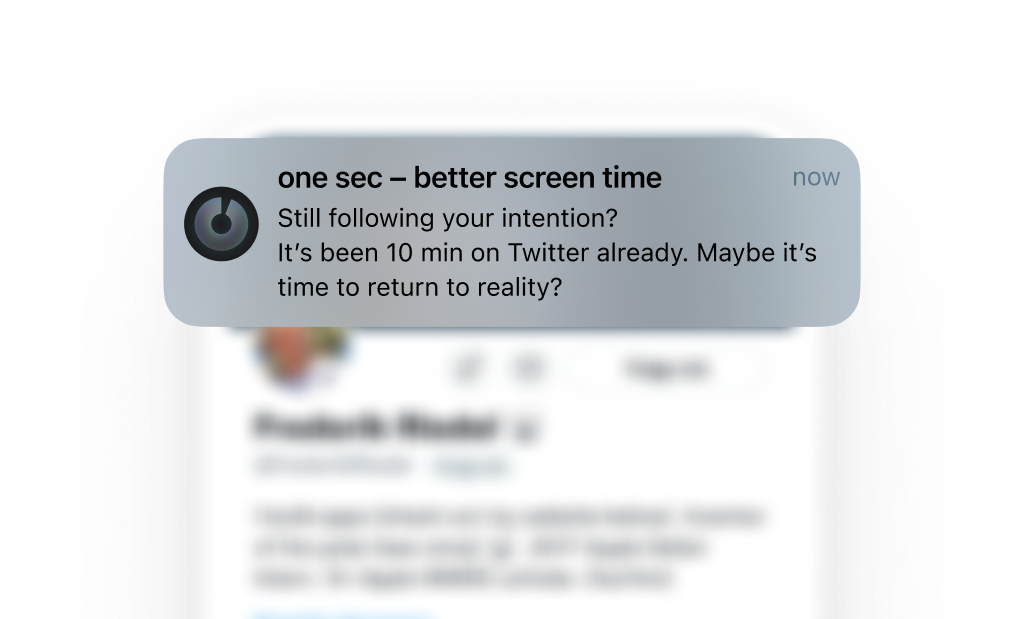
Get the most out of one sec’s App Closing Reminders
In this tutorial I’m sharing three tips to make app closing reminders even better:
- How to make notification banners sticky
- Make sure that notifications won’t get triggered after you’ve already closed the target app
- Make sure that closing notifications will also be delivered during Focus mode
Make Notification Banners Sticky
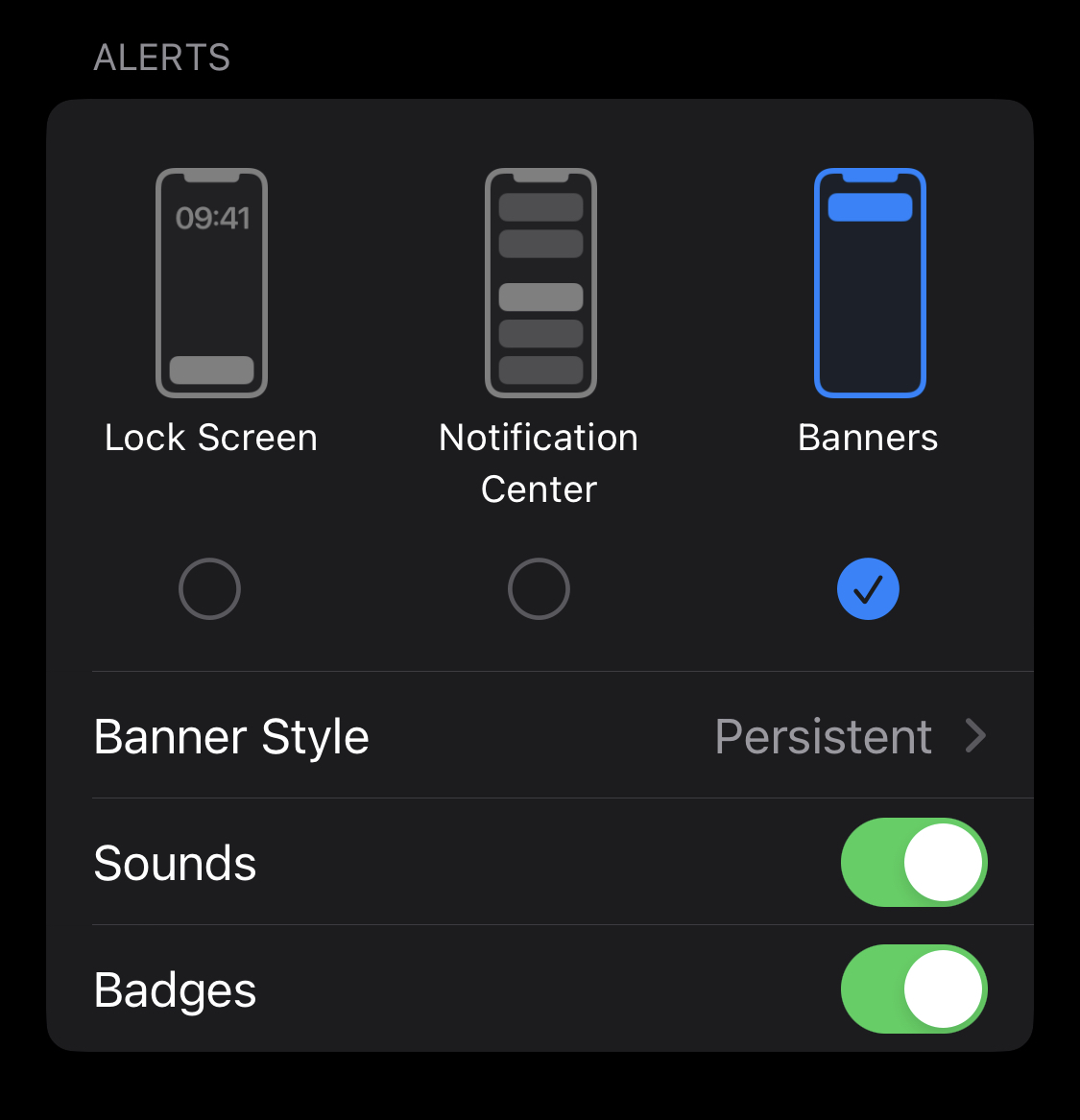
Make one sec’s notifications sticky so they don’t disappear after a couple of seconds.
Open iOS Settings → Notifications → one sec → Banner Style → Persistent.
You can also deselect “Notification Center” because you don’t actually need to see them there.
Reminders during Focus
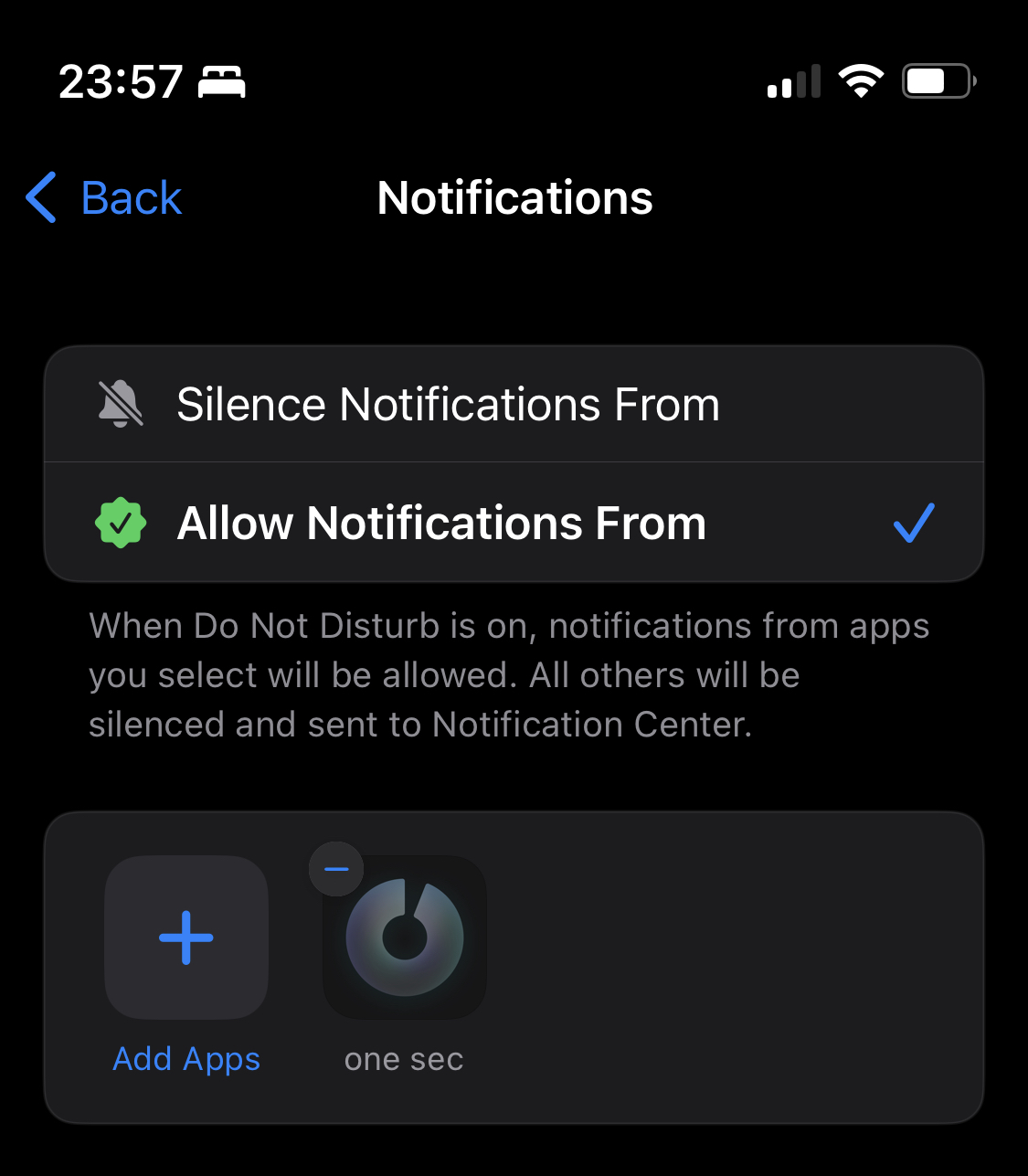
Allow one sec to deliver notification even during Focus modes, such as “Do not disturb”. Otherwise you won’t see one sec’s banners while scrolling through apps.
one sec does not send any other notifications.
Open iOS Settings → Focus.
And repeat for every Focus in the list:
Tap on Apps (and make sure “Allow Notifications From” is selected) and add one sec to the list of apps.
Automatically Discard on App Closing
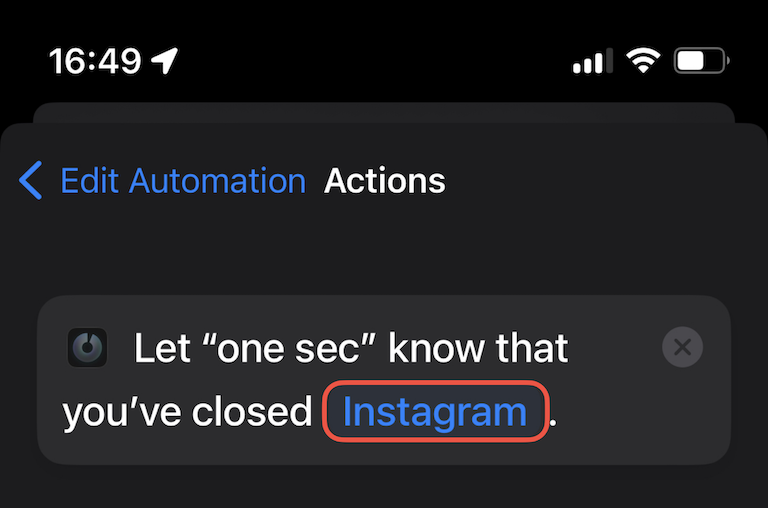
Set up the additional “App Closing” Shortcut Automation. This will automatically dismiss all reminder notifications, so you won’t receive them if you’ve already closed the target app.
Frederik Riedel
September 18, 2022