How to Block Apps with Focus Filters
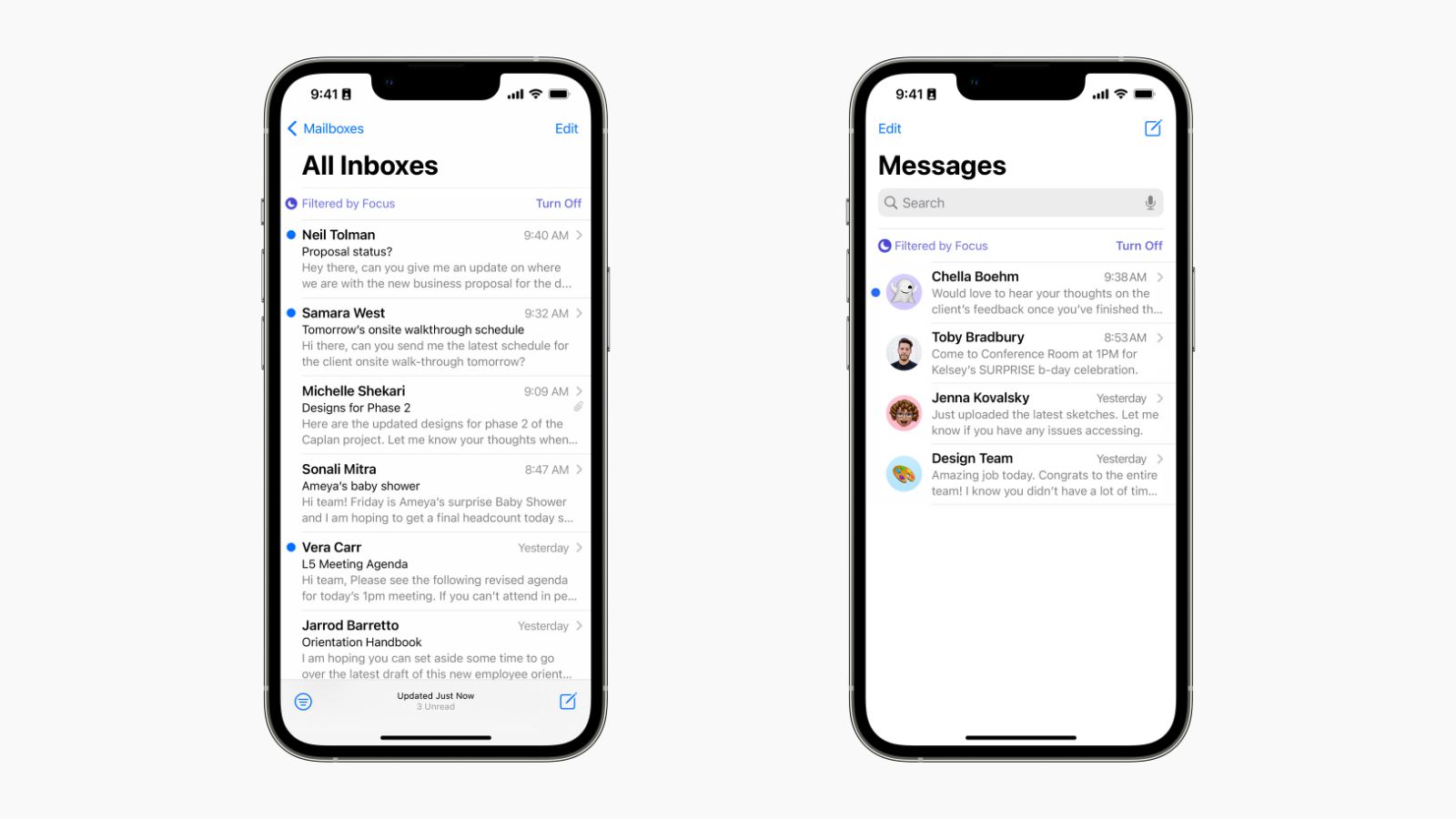
With iOS 16, Apple has added a neat new feature called “Focus Filters”: allowing you to customize app-behavior depending on your current context, for example:
- automatically filtering out private emails and messages while at work
- or the other way around when you’re with family or friends
Block Apps altogether during Focus
On top of configuring internal app-behaviors during a Focus, you might want to block an app altogether during a Focus: that’s possible with one sec!
one sec intercepts app openings of configured apps and won’t let you use the app – if the Focus Filter is set up to block that app during that Focus:
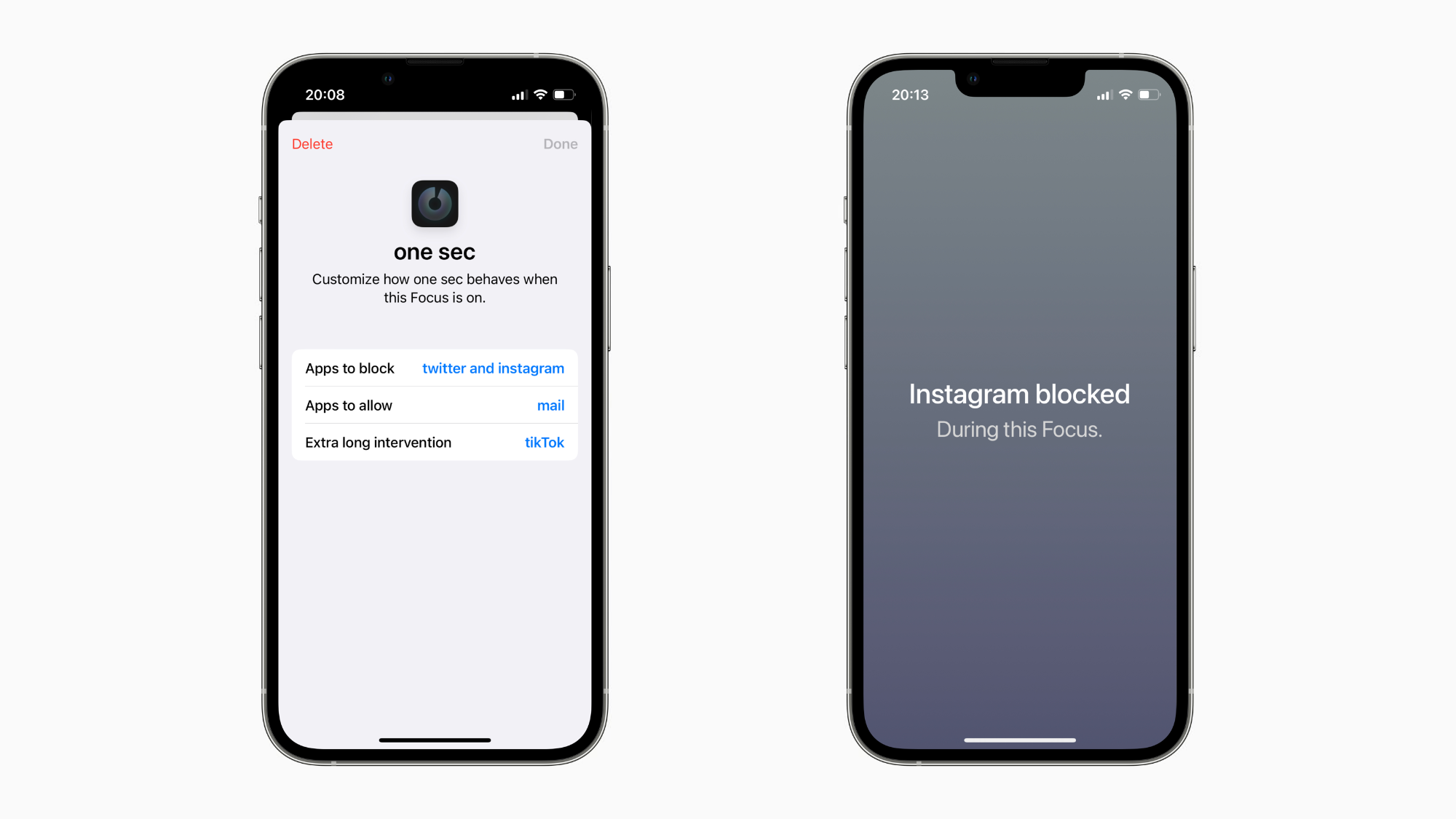
To set it up, install one sec and go to iOS Settings → Focus → select a Focus (e.g. Work) and scroll all the way down to Focus Filters. Tap on Add Filter → one sec in order to add custom block behavior to apps. In that filter, you can select apps you’d like to block while that Focus is active.
Delay App openings during Focus
On top of blocking apps, one sec offers another clever feature to help you focus what’s important in the moment: App Interventions.
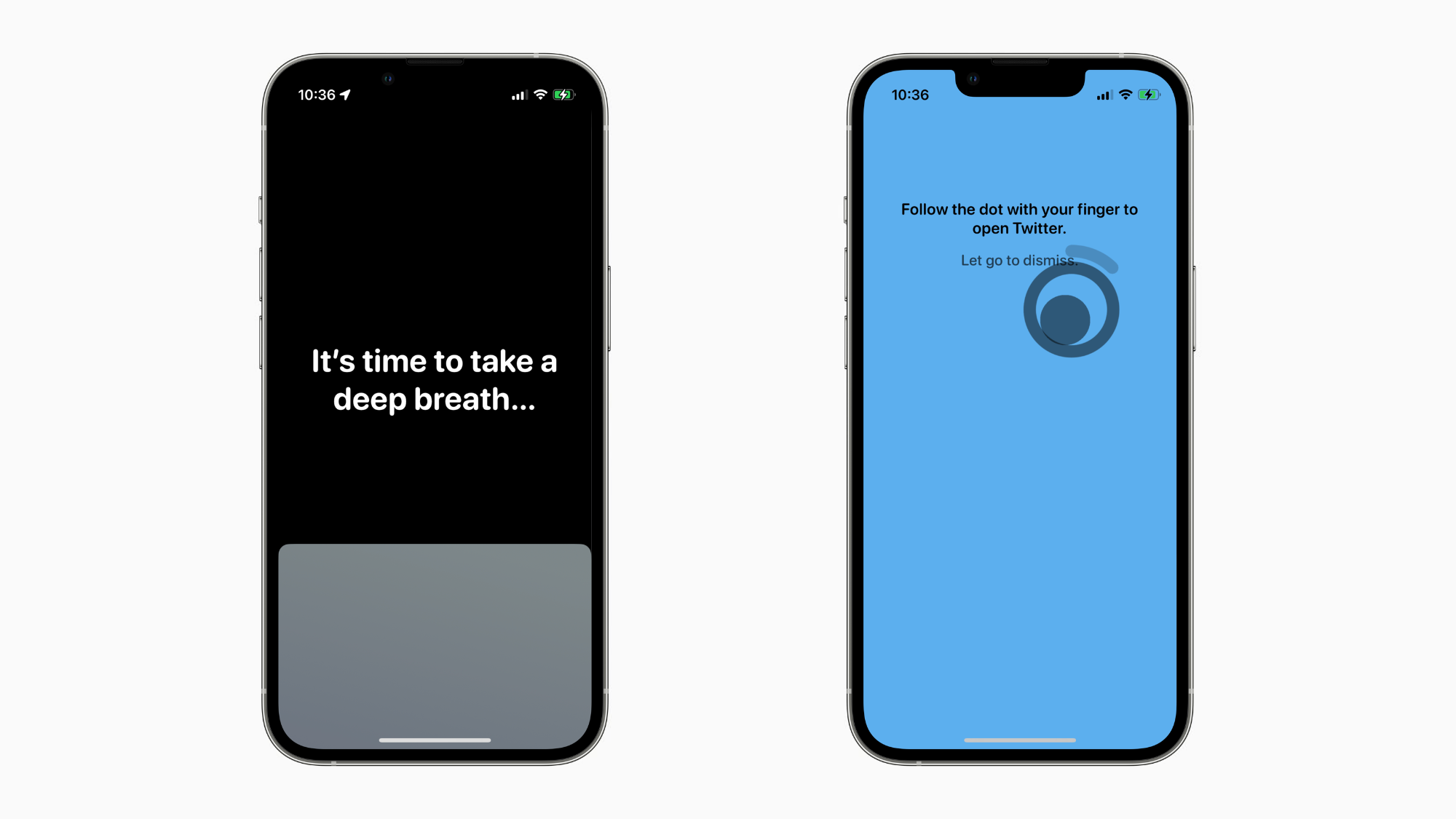
App Interventions allow you to insert interventional exercises when attemtping to open certain apps: for example, a 10s breathing exercise when you open social media apps. Over time, this makes open social media less interesting for your brain and you‘ll loose your urge to open these apps without a proper intention. Especially during your study or work Focus, this is a great alternative
Similarliy to the Focus Blocking, you can also add interventions to apps in the one sec Focus Filter:
- Breathing exercise
- Follow the dot
- Rotate phone
- Black screen
- Mirror (look in your eyes and tell yourself you really want to open that app…)
one sec 3.1: Free Update
Together with iOS 16, one sec 3.1 has been released on September 12, 2022. Update for free to be able to configure Focus Filters on your device.
Frederik Riedel
June 6, 2022