How to Block Porn on iPhone in all Web Browsers (3 simple steps with screenshots)
This app blocks you from watching porn ever again
Getting instant satisfaction from online porn is easier than boiling an egg these days. It’s only logical that many users enter a state of dependency and blunting over time, and getting out of it is anything but easy. An effective solution is to put your device in charge – by automatically blocking porn sites in your browser.
Pornography works like a drug
Pornography is similar to drugs in the way that it releases chemicals in the brain, specifically dopamine. With continued use, the brain becomes dependent on pornography to function normally. This causes users to seek out more pornography, or more extreme pornography, to get the same effect. Eventually, the brain becomes so used to the dopamine release that it no longer responds to healthy activities. This leaves users feeling negative emotions when they go without watching pornography. A critical state of addiction and dependency is reached.
Apple’s restriction settings are often not enough
Apple offers an in-built solution to block adult content from your iOS device. It’s hidden inside the devices’ settings (iOS Settings → Screen Time → Content & Privacy Restrictions → Content Restrictions → Web Content → “Limit Adult Websites”).
The problem is: once you know where, you can easily change the settings. Nobody will stop you from re-allowing and watching porn again once you have a “weak moment”.
If you’re looking for a safe and long term way to block porn sites on your iPhone, try the app one sec.
Step-by-step guide
Here’s how you block adult content with one sec in three simple steps:
- Download the “one sec” App for Free!
- Open one sec’s settings and select the free “Adult Content Detox” feature.
- Enable the toggle.
- Optional: Lock settings for 10 days, one month, or forever (Premium Version).
- Ask a close friend or relative to lock your iOS Screen Time Settings with a code, so you can’t undo this (tutorial below).
Blocks porn sites in all web browsers and web views
one sec’s free porn block feature works across all web browsers on your phone, for example Safari, Chrome, Firefox, and DuckDuckGo Browser. That’s because one sec works on system-level, adding a content filter to all Web Views instead of blocking content through a browser extension in a single browser only.
At the same time, all your data remains private and secure: one sec does not know which websites you visit and content you look at. I make money selling the pro version of one sec, not your data!
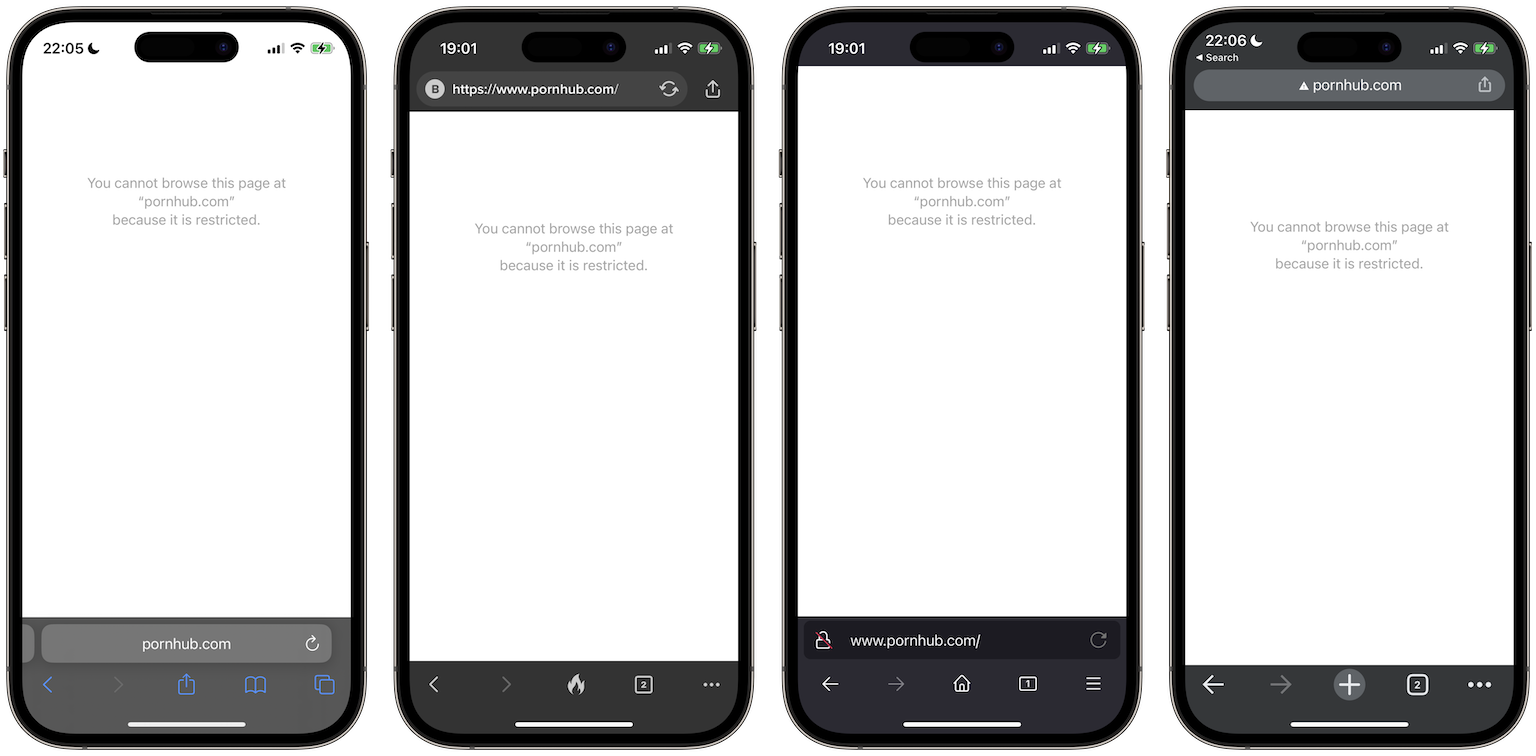
Lock yourself out of changing it back
On top of blocking all adult content in all your web browsers, one sec can also lock yourself out of disabling this feature in the future. If enabled for a specified period of time, there is no way back. one sec allows to block the feature for 10 days, one whole month, or forever.
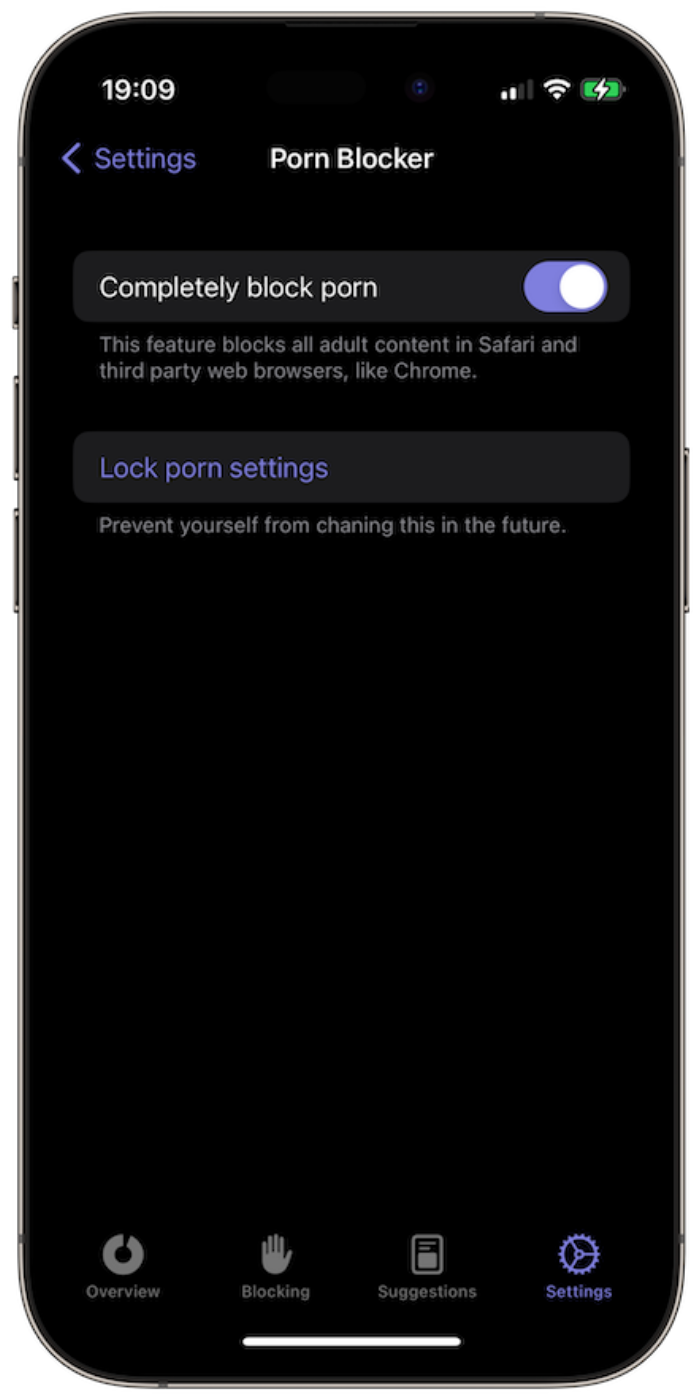
Enable “completely block porn”
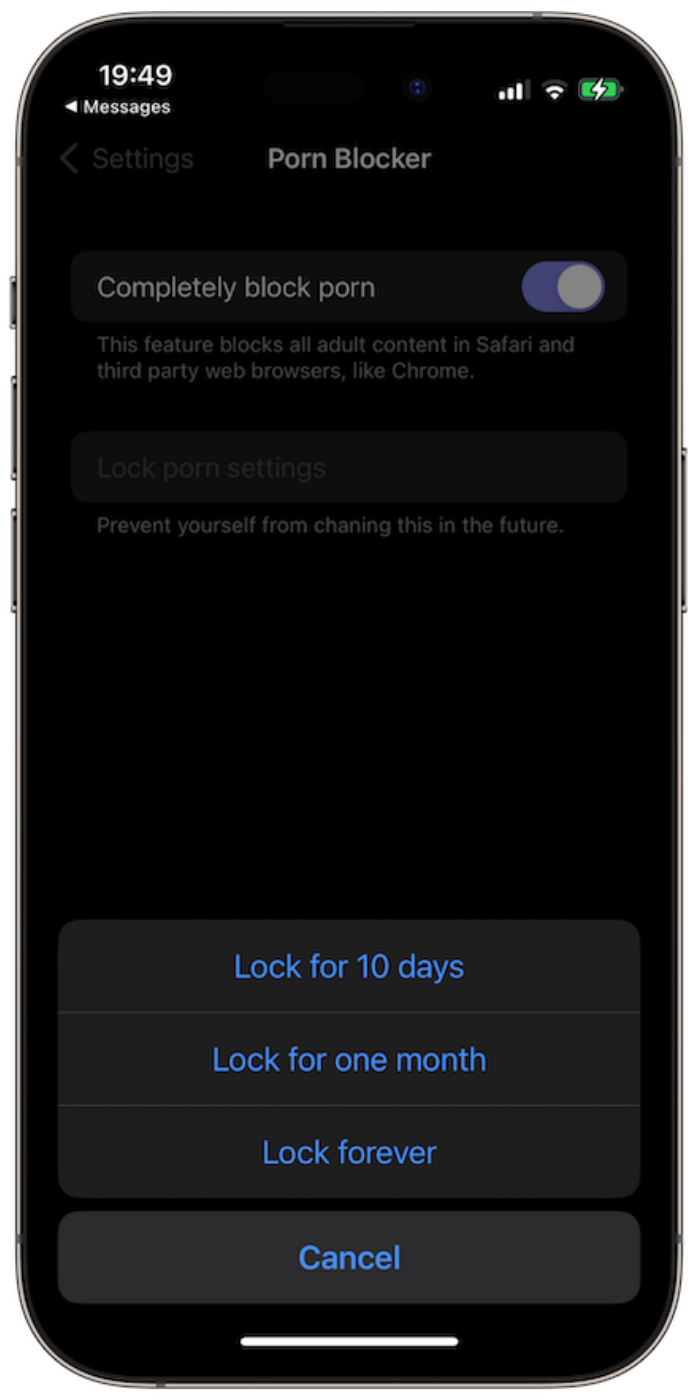
Choose time period
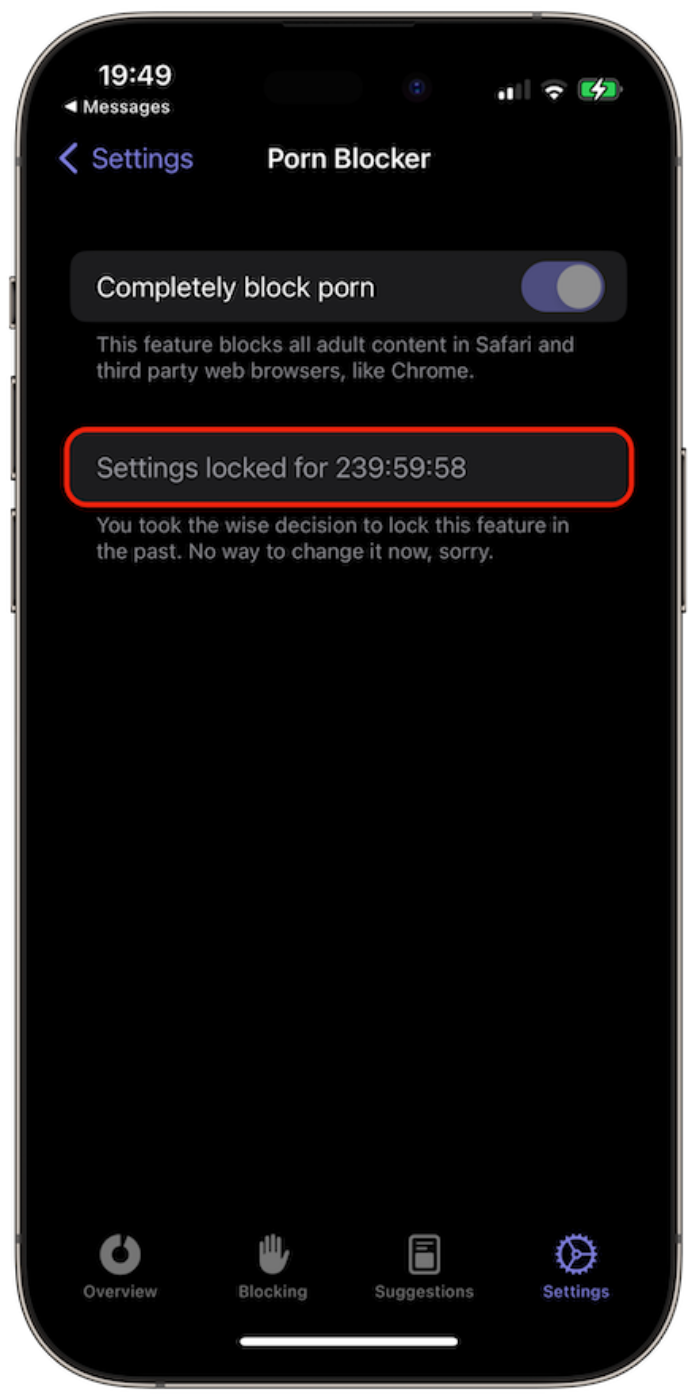
Lock the feature
Even deleting one sec is not an option if you use Apple’s lock for screen time restrictions. It hinders you from deleting one sec unless you enter a custom 4-digit code. Here’s how to set it up:
- Open iOS Settings
- Go to Screen Time
- Scroll down to Lock Screen Time Settings
- Set up code ( let a friend or family member do it so the code remains unknown to you)
This makes one sec’s porn blocker 100 % strict and bullet-proof and is available on iOS 26.4 and newer.
Here’s how to set it up:
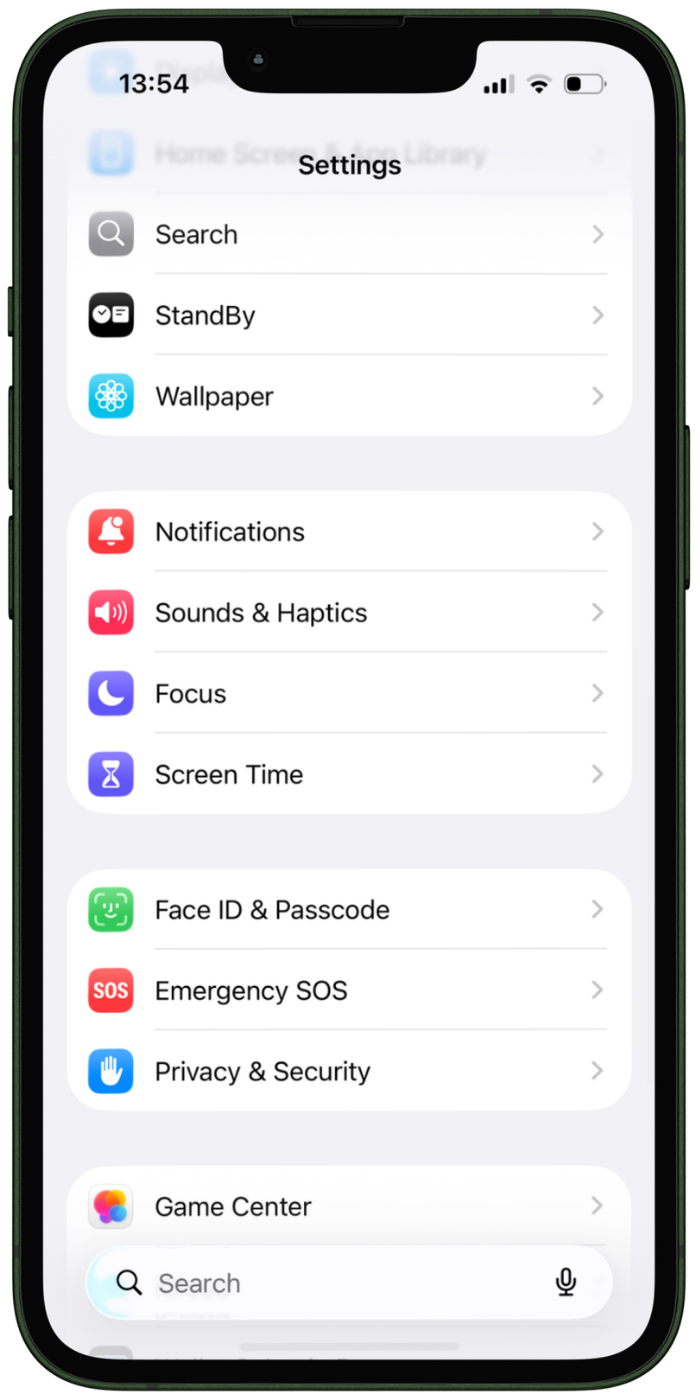
Open iOS Setting → Screen Time.
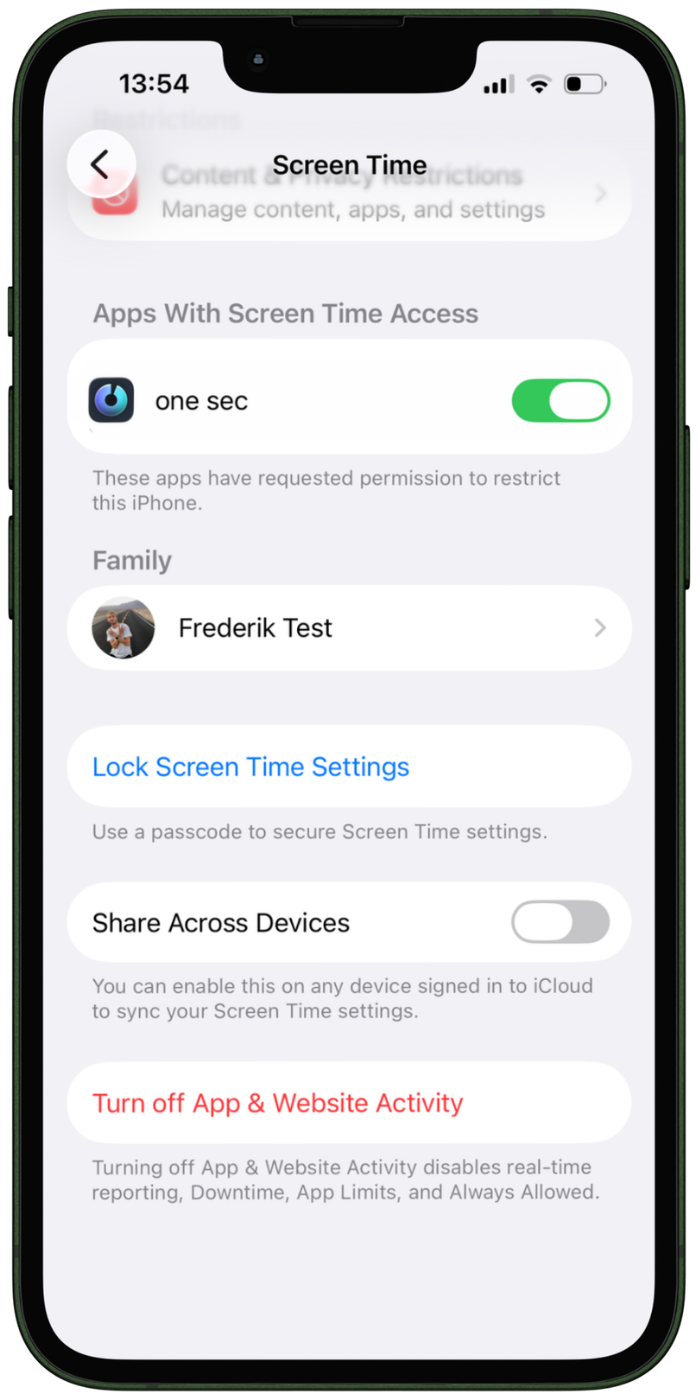
Select “Lock Screen Time Settings”.
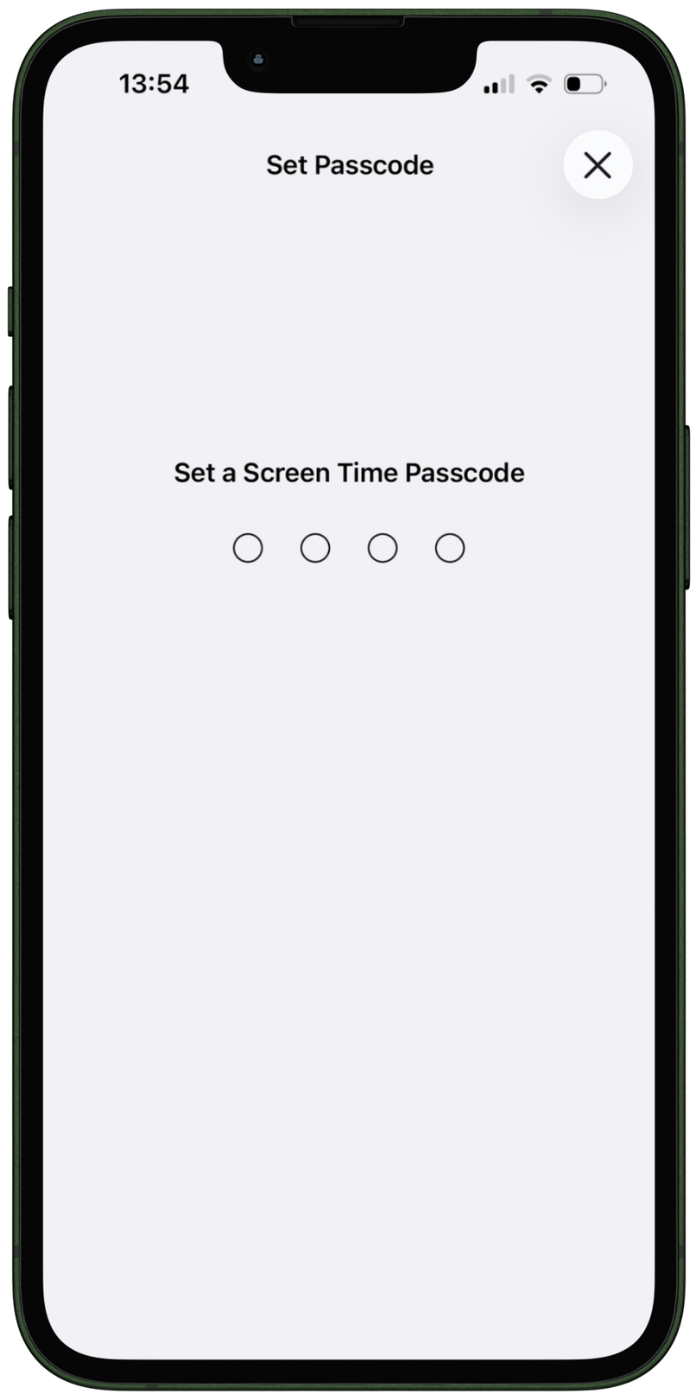
Have a close friend or relative set up the screen time code (so you don’t know it).
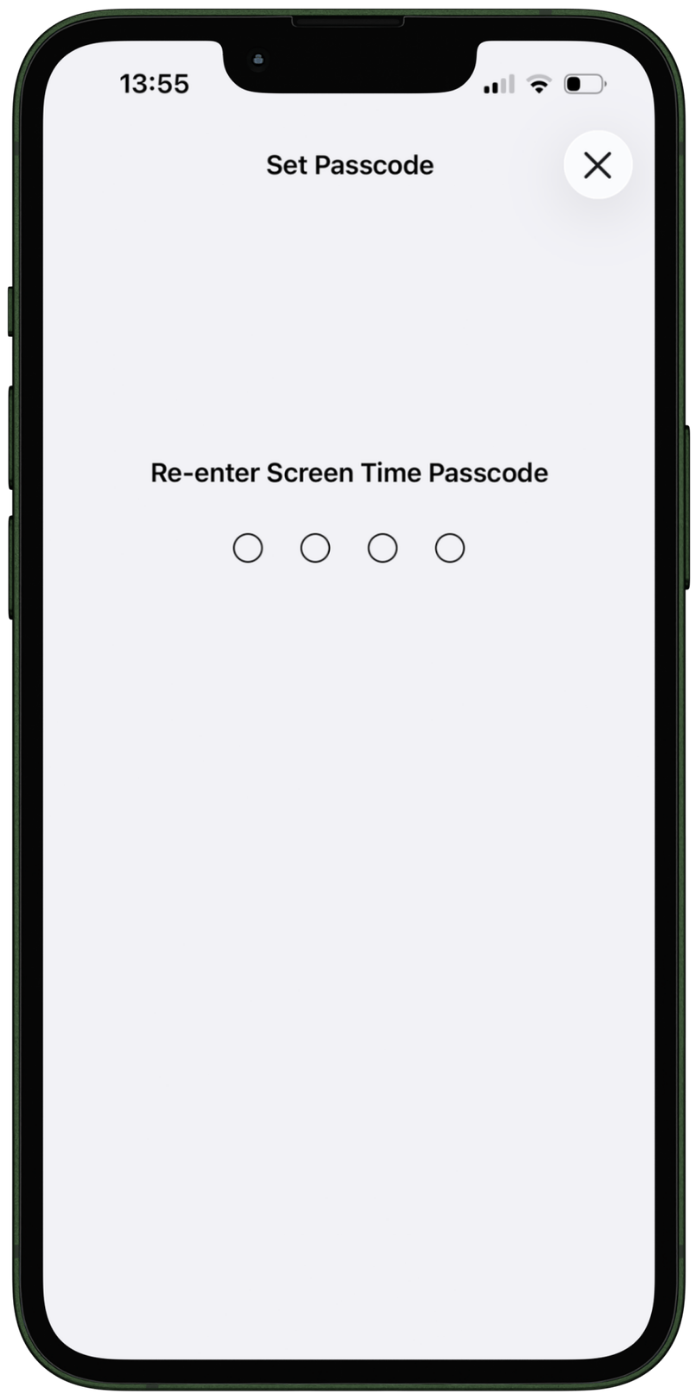
Have them re-enter the code
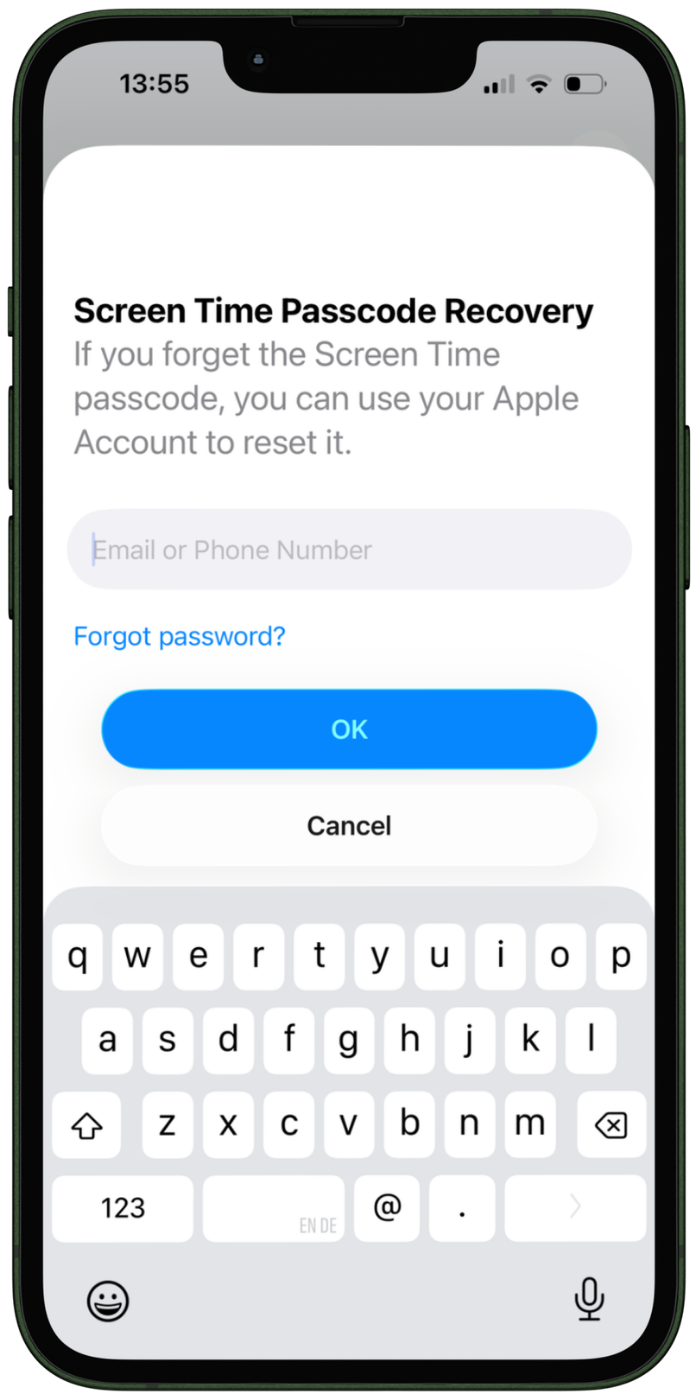
Optionally, you can connect an Apple Account to reset the code in the future.
one sec’s porn blocker is available for free
Porn blocking is supported for free in one sec for iOS.
Download it now and give it a try!
Elena Geiger, Reviewed by: Dr. David Grüning
October 30, 2022